August 18, 2025
Capture Export Folder
G7 Curves, ICC Profiles, CxF files, and others can be located in a user-selectable folder.
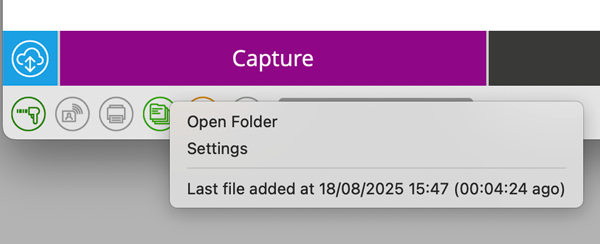
The user can Set up the Export Folder. The corresponding icon is at the bottom of the application window.

Click on it to find "Settings" in the contextual menu, enable it and select preferred location on the hard drive.
Using this option is critical for automations - for example, a scenario when exported CxF files for Inf Formulation, ICC Profiles, or Curves to Color Engine are sent automatically by third-party solutions ( e.g., Enfocys Switch or any other)
Contact ChromaChecker Support
Additional information and Support Form is available for logged users.
