September 6, 2022
Komori - Techkon PrintFlow
Ensure that your Techkon is configured to export a .svf file.
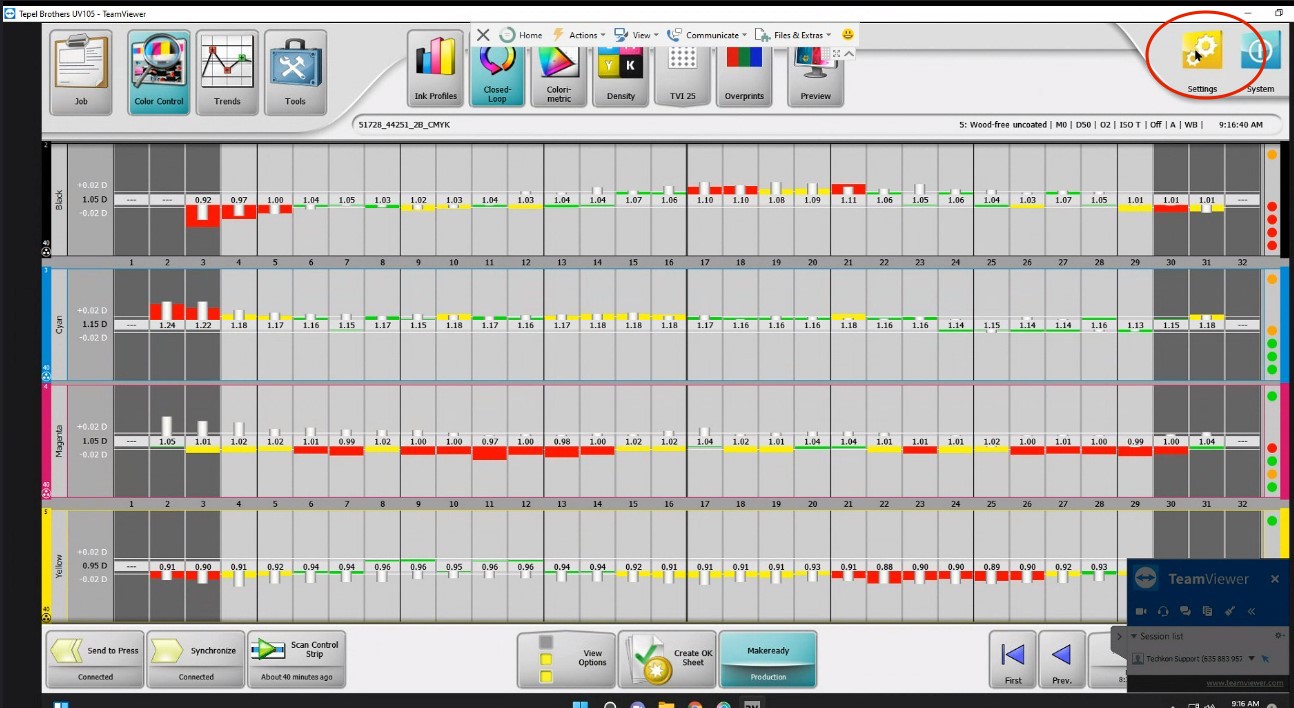
Choose Settings: Upper right corner:
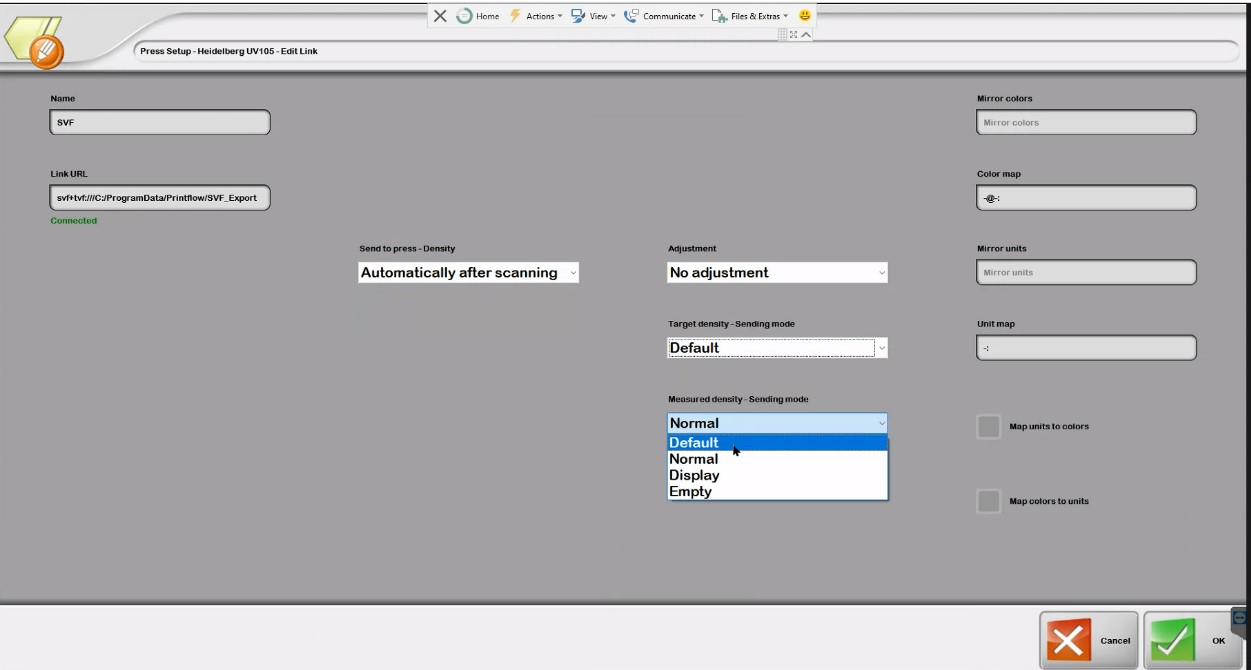
In settings- choose SVF Export:
You will need the SOAP login from your ChromaChecker system, under the human head icon in a cloud configuration.
Video
-
This tutorial demonstrates how to configure ChromaChecker Uploader to use ChromaChecker Print Inspector for analysis
Contact ChromaChecker Support
Additional information and Support Form is available for logged users.
