Scan mode: Understanding of Aperture, Patch Width, Scanning Speed relationship
This article relates to handheld instruments with scanning capability:
X-Rite I1 Pro, X-Rite eXact with Scan option, Techkon SpectroDense, Konica Minolta Myiro-1 ...
Instruments with rail (Intellitrax, eXact Auto-Scan, Techkon SepctroDrive), XY devices ( X-Rite iSis, I1Io, Myiro-9, Barbieri LFP) control instrument position based on additional information coming from the driving mechanism and sometimes integrated autopositioning solutions (Internal scanner, camera...)
A scan mode is a specific measurement scenario when the instrument is capturing data continuously. When moving manually speed, aperture, and patch size are determining the number of samples per patch. Instrument analyses samples that belong to the same patch. Some measurements have to be excluded - it is the result of mixing, the rest have to be consistent enough to detect it, then average them.
When creating a scanning template it is critical to design control strip size for a given instrument taking into account the relationship described below.
1. Aperture size — given patch width

The aperture/patch width ratio is better for a smaller aperture
2. Patch width — given aperture
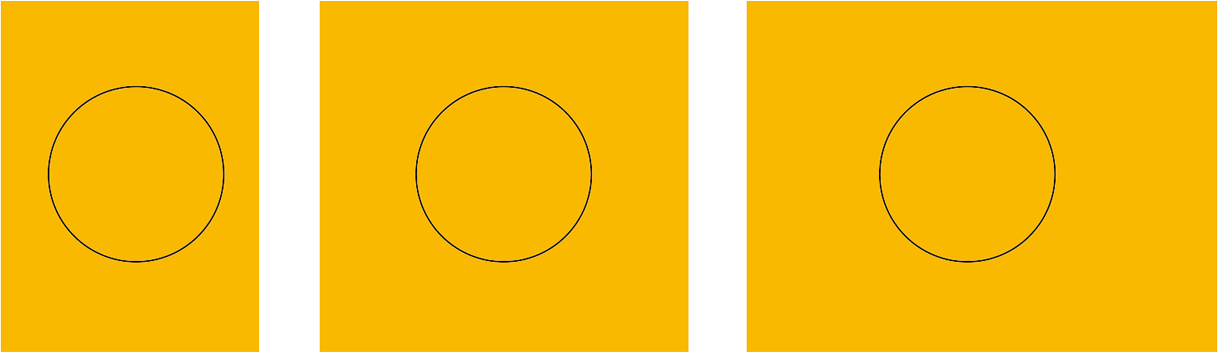
A wider patch to aperture ratio is better than for shorter patch.
3. Relationship between patch size/aperture ratio and scanning speed
Case A — number of captured samples makes analysis effective.
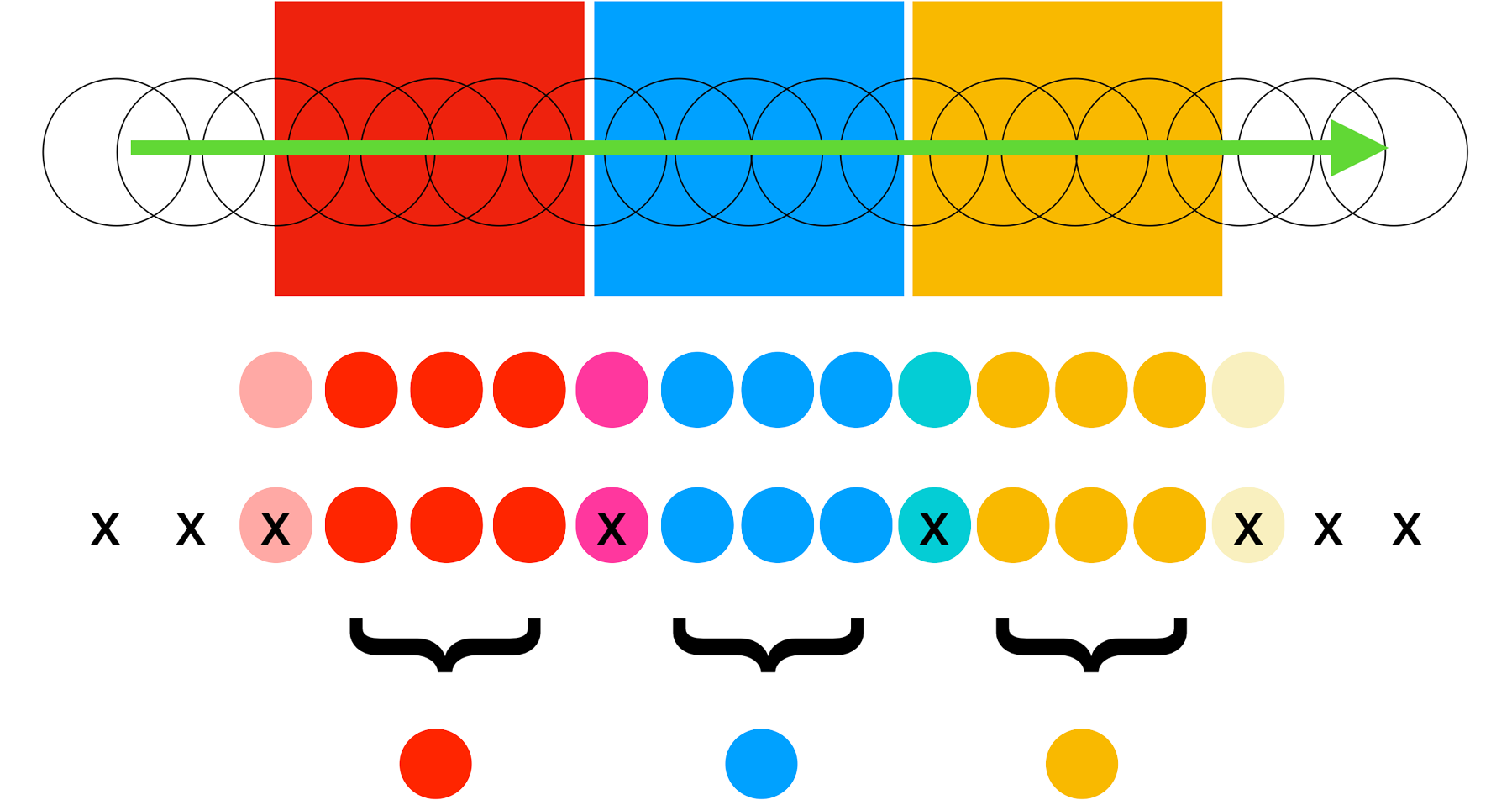 |
SCANNING |
| RAW DATA | |
| ANALYSIS | |
| GROUPING | |
| AVERAGING |
Case B — Scanning speed too fast
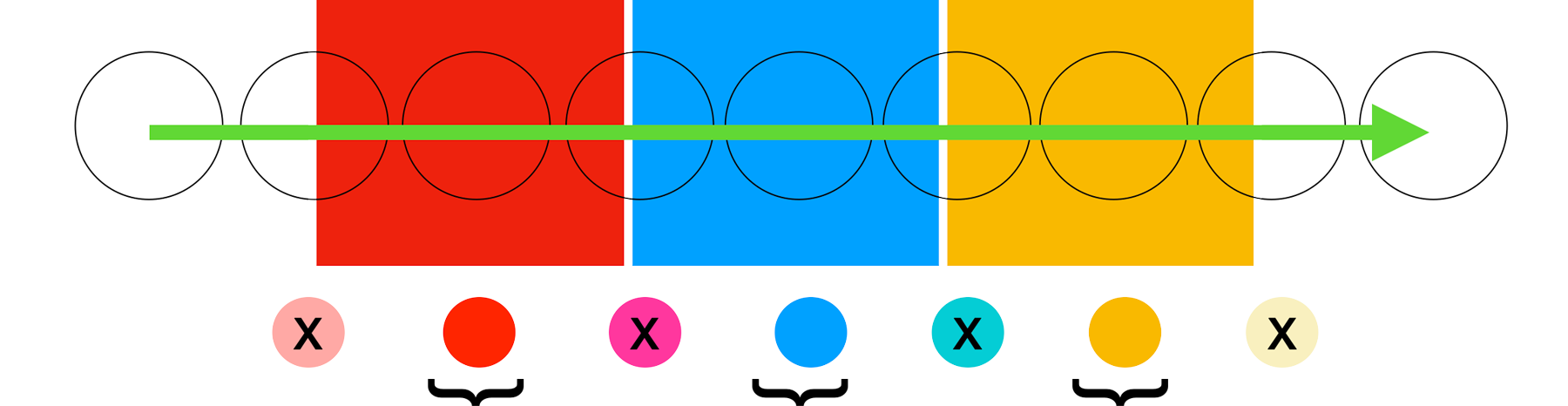
There is no sufficient data for averaging - algorithm struggle with recognition
Case C — Patch width – too short
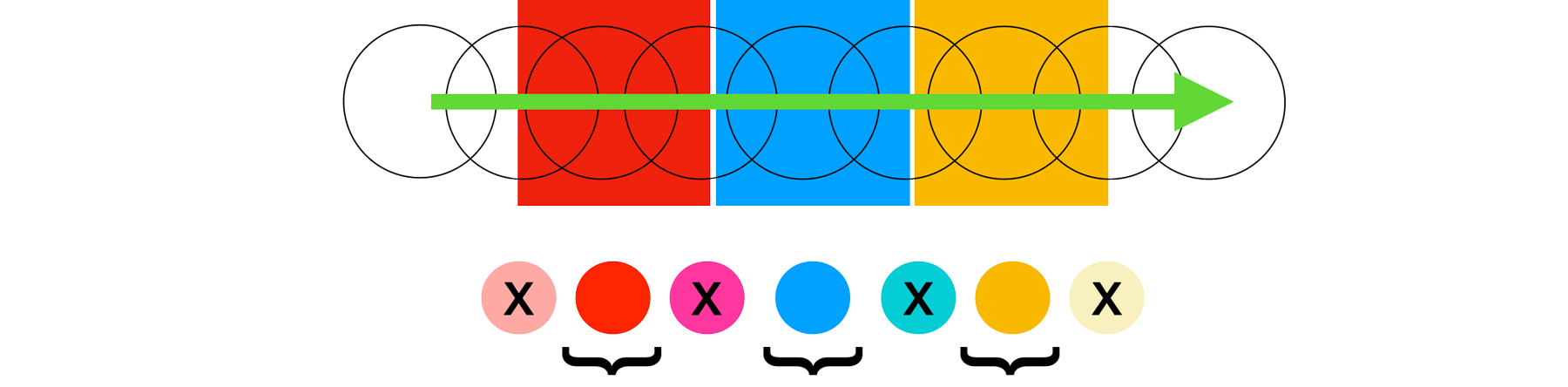
There is no sufficient data for averaging - algorithm struggle with recognition
Note:
- Averaging is a key to accuracy in scan mode. For fixed aperture, the best way to get more accurate data is to increase patch width.
- Always try to rather decrease increase speed w
- Some instruments use additional hardware solutions to help better recognize patches (Analysis) based on zebra ruler or zebra wheel. Those technical solutions may require patch width information. Take care to enter a correct value
Contact ChromaChecker Support
Additional information and Support Form is available for logged users.
