Troubleshooting CC Sphere potential issues
Top potential issues with the CC Sphere Spectrophotometer, in priority order
Power issue warning
Charge the Instrument before operation. Connect the supplied USB cable to the wall USB charger or computer. It can take a few hours for a full charge.
Proper Aperture configuration- based on Aperture being used
- Install the required aperture on the instrument shoe, (6mm, 1*3 mm, 11mm). Use 11mm when possible
- Set the mechanical switch to M when using 11mm (up position) or S when using 6mm, 1*3 mm (down position)
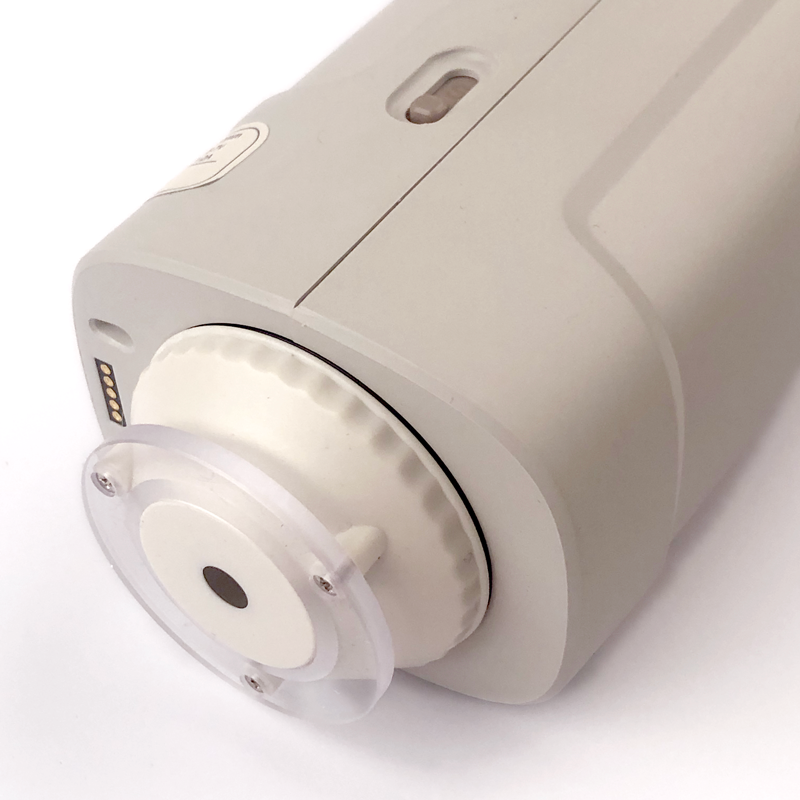

- Additionally, when using the S apertures (6mm or 1*3 mm), a corresponding setting has to be defined in CC Capture software under instrument Setup (on-screen menu).
Please consult additional document: Understanding DS-700d
Two step calibration
It is important to understand that the instrument requires two-step calibration
1. White Calibration - on the tile (found in the docking station)
2. Black Calibration- Instrument held in the vertical position at least 1m from ground. During Black calibration, random light should not enter the measurement port.
Quality of calibration is critical for the unit to measure correctly!
USB Cable Connection
Connect the cable to the Instrument's USB-C socket. The base is dedicated to charging the internal battery - not connecting to the computer.
If You struggle with cable connection, make sure that a Spectrophotometer is listed on your USB device list. Do not replace the original cable with USB-C/USB-C - In such cases, the computer can't recognize the instrument! If you don't have a proper socket - use a converter or hub.
- On Mac Computers, go to System Report - it should look like this in the following example:
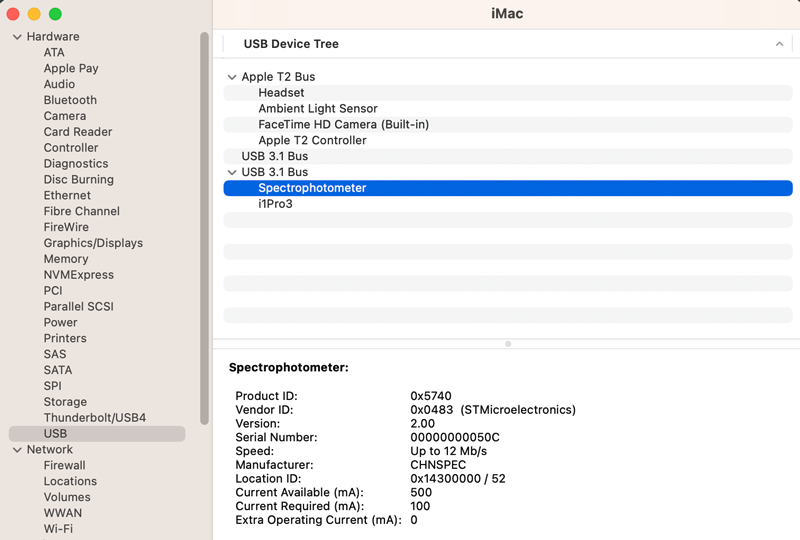
- On Windows 10 or 11 - go to Device Manager.
We have tested the USB connection, and all tested configuration works fine. Please let us know if you have experienced any issues. Please document details to help us solve the potential problems.
Wireless Bluetooth Connection (not implemented yet!)
Activate Bluetooth in the instrument's menu. Please note that Instrument can be recognized by the dedicated software only, and it is not visible on the standard list of Bluetooth devices.
Calibration White
Next to the white calibration tile, there is a small label that reports factory-measured colorimetric references. Please note that Color Specification requires the following:
|
|
|
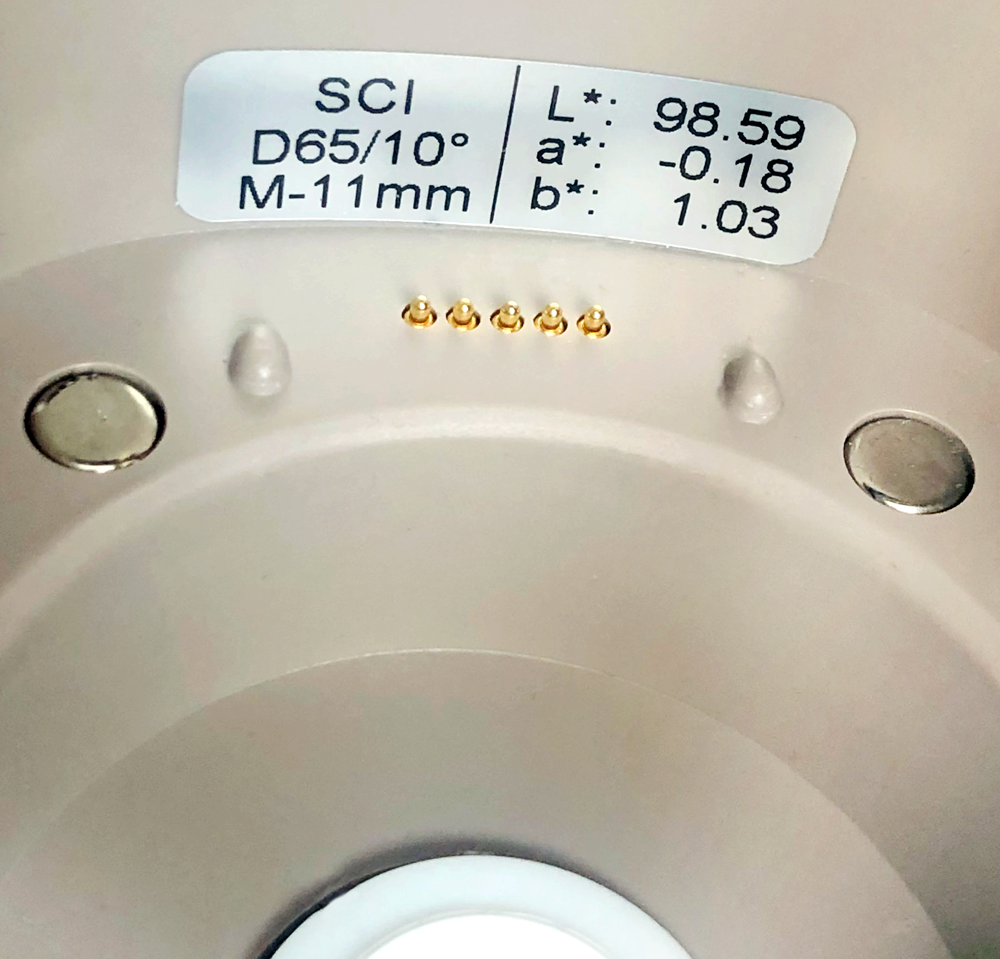
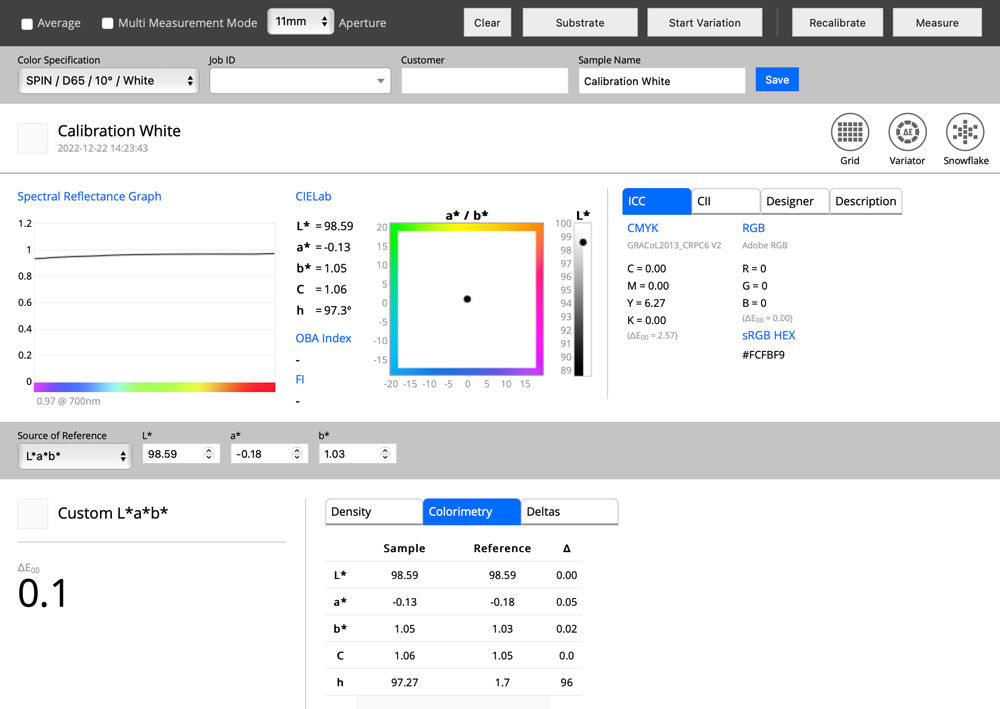
If an identical Color Specification is created in Color Inspector small difference can be observed, caused by small differences mainly in the D65 definition. There are two official = one based on the tabulated data and one based on a math equation (which enables any custom illuminant). The practical difference can be about 0.1 ∆E 00 and has to be accepted.
Problem with CC Capture
If you experience any issues with CC Capture, be sure to test a couple of things:
- Test if your Instrument is working correctly as a stan-alone - calibrate it and measure samples,
- Try reset Instrument - Go to Settings/About and click "Reset All
- Be sure that your computer is recognizing Instrument properly (follow "USB connection" guidelines above)
- Be sure that your instrument is charged
- Open the "Instrument Information" window in CC Capture to see if Instruments returned all information requested by the app.
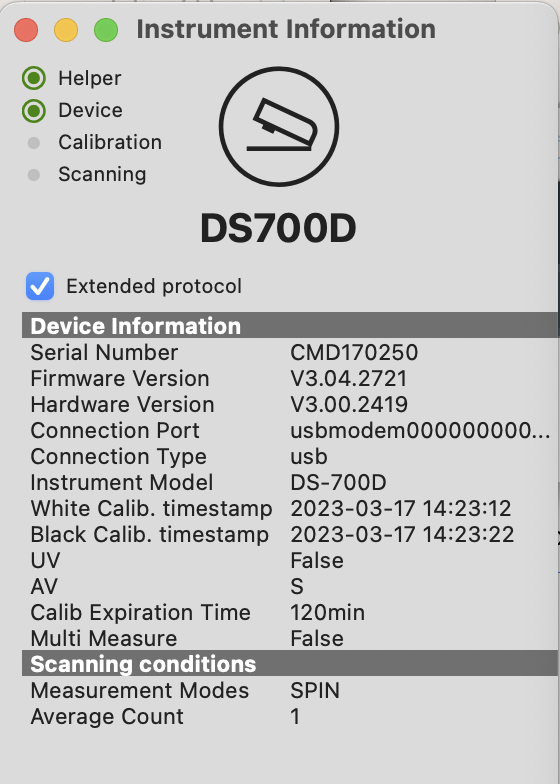
- Please send us feedback using the built-in CC Capture feature.
Contact ChromaChecker Support
Additional information and Support Form is available for logged users.
