∆E Variator
Variator is available from the ChromaChecker Capture interface or from the Operator interface from the Cloud Login. Cloud login provides more flexibility.

The purpose of using the ∆E Variator feature.
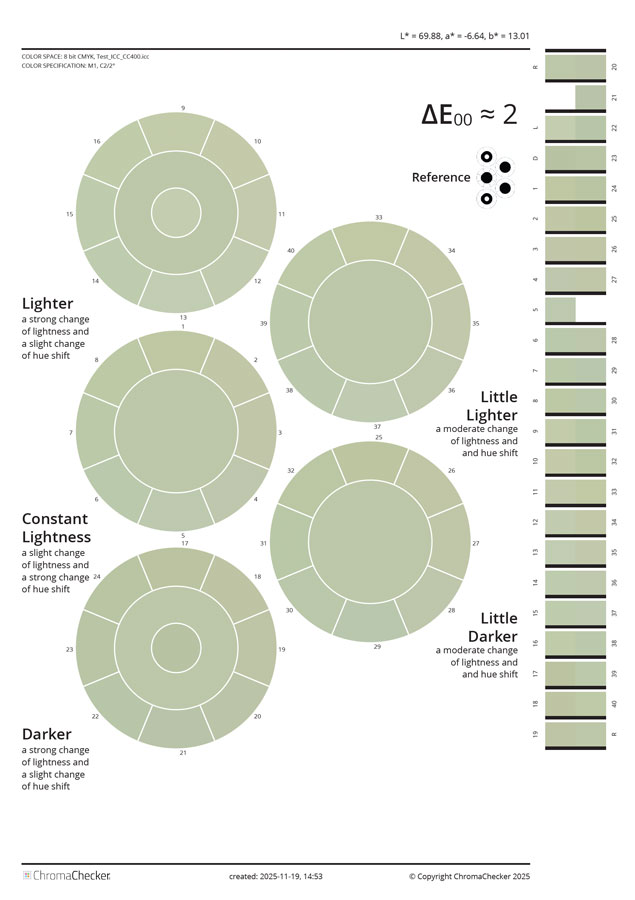
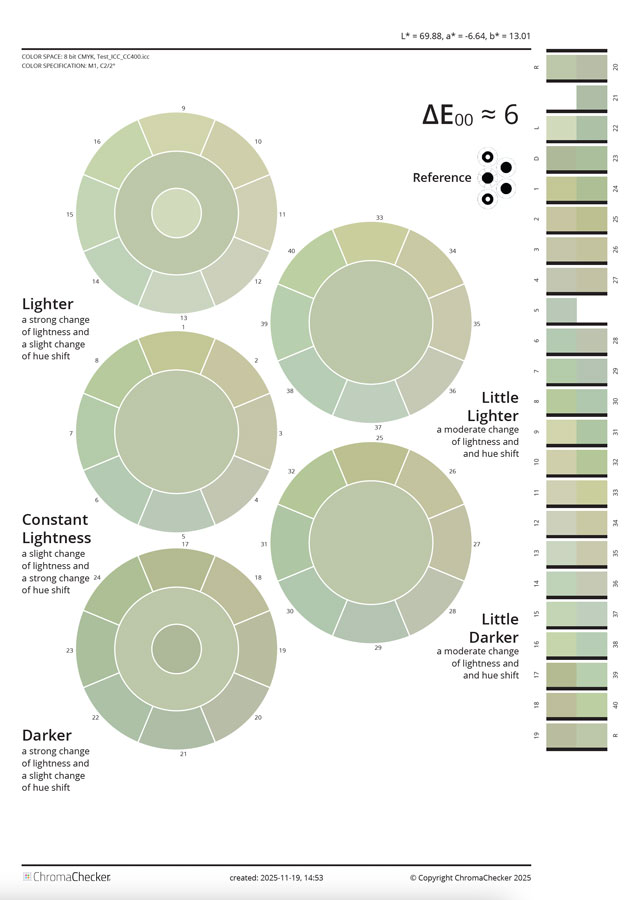
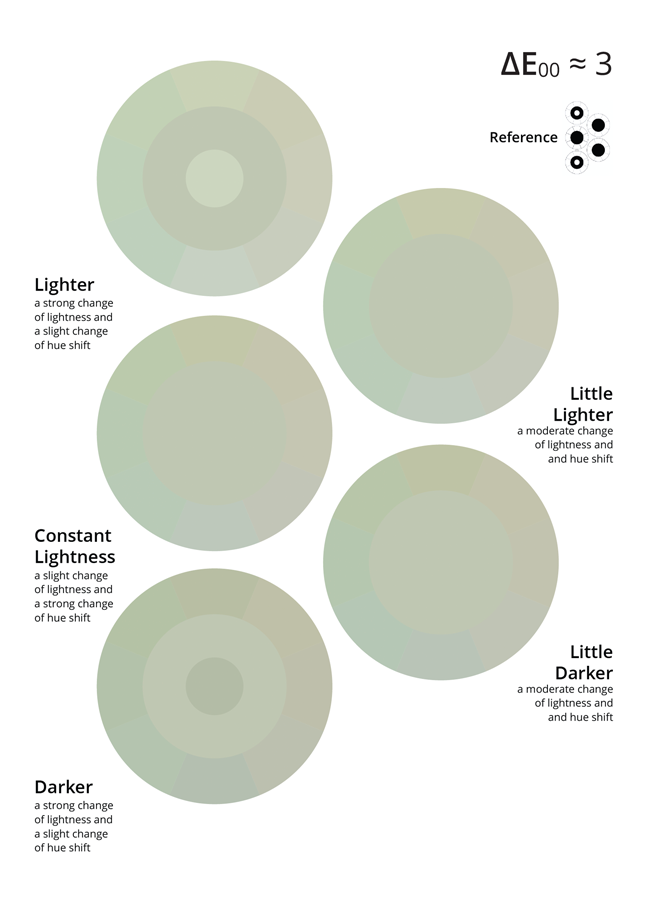
The most commonly used tolerance currently is based on the ∆E 2000 formula. Although it was created as a response to criticism of earlier formulas, the problem of the lack of correlation between the digits and the observer's impression remains. The ∆E variator is a unique tool that illustrates how the determined value for a selected sample will appear when the difference is caused by a shift in Lab space in various directions. The chosen method shows changes as rings with eight segments. The directions correspond to the a* and b* axes, and subsequent layers represent different L* values. This unique tool allows us to visually see samples that differ from the reference in all 42 key directions of the color space. Typically, we observe that changes in tone (a* and b* axes) are less critical than changes in lightness (L*). By adopting a specific tolerance for a given color, we assume it applies to all possible variations of that difference. This can sometimes lead to costly or even unrealistic narrowing of tolerances. Therefore, when defining a color standard, we must not only construct a spectral color definition but also define the tolerance. A Snowflake tolerance may be worth considering.
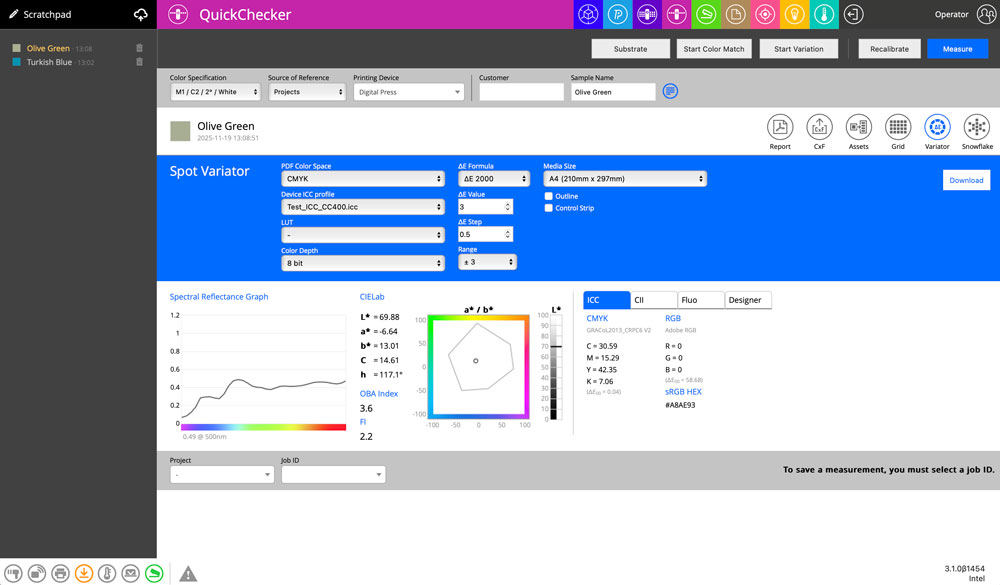
Understand ∆E Variator parameters.
PDF Color Space
The created file may address graphic objects using various color spaces, such as Lab, CMYK, or RGB. This requires understanding the details of your production workflow. If you are using an inexpensive SOHO printer, it is probably using a generic system driver that uses the RGB color space. If you have a printer with a RIP (for example, an Xerox MFP with EFI Fiery, an Epson proofer controlled by the RIP, or a Konica Minolta KM-1e Press), it is mostly CMYK.
Device ICC Profile (CMYK and RGB spaces only)
Please select the ICC profile for your printing device.
LUT (for selected ICC Profile)
Select the LUT that is already created. There are two options that the ser can create custom LUT - one designed for single samples, when iteration in a single step is focused on one selected sample _ available as an option in QuickChecker, or for more samples (whole library or palette), iterated using the dedicated Scan Color Match tool ( designed to use with XY scanning instruments). LUT must be correlated with the ICC Profile - can't be transferred to another one.
Color Depth.
If your system can handle 16-bit - use it for more accurate addressing. Inexpensive solutions are often 8-bit only, while more advanced ones can use deeper color definition.
________
∆E Formula
Options to select from: ∆E 2000, ∆E1994, ∆E1994 (textile), ∆E1976, ∆E CMC (1:1), ∆E CMC (2:1).
∆E Value
Enter here the desired value — range will create variants around this value (lower and higher values)
∆E Step
Single step for variants. Typically, this is 0.5 or 1.0
Range
It defines how many additional values below and above "∆E Value" will be created.
________
Media Size
This defines the media size of the PDF.
Outline option
It's essential to understand how humans perceive color differences. Vision is relative, and whether samples are connected or separated is perceived differently by the brain. This option allows you to introduce a separation line and compare the impressions of the two variants. This is an essential element, and we recommend experimenting with this option.
Control Strip option
Placing a control bar will enable automated measurement and verification of how precisely the output device renders the values specified in the PDF.
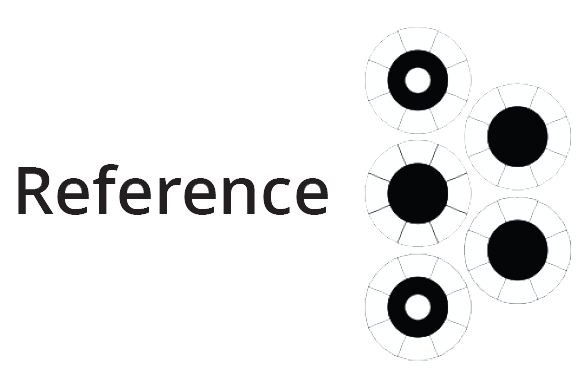
Reference
The following diagram shows all locations of the reference sample, enabling direct comparison of all 42 variants.
Example
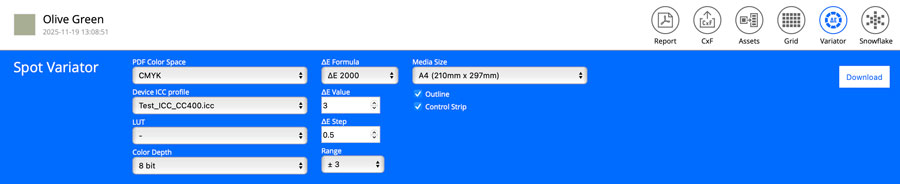
Range ±2 means that seven pages will be generated in 1.0 ∆E step with 4.0 ∆E value in the middle.
Checkboxes "Outline" and "Control Strip" are selected.
Click the selected thumbnail to enlarge or download the original PDF.
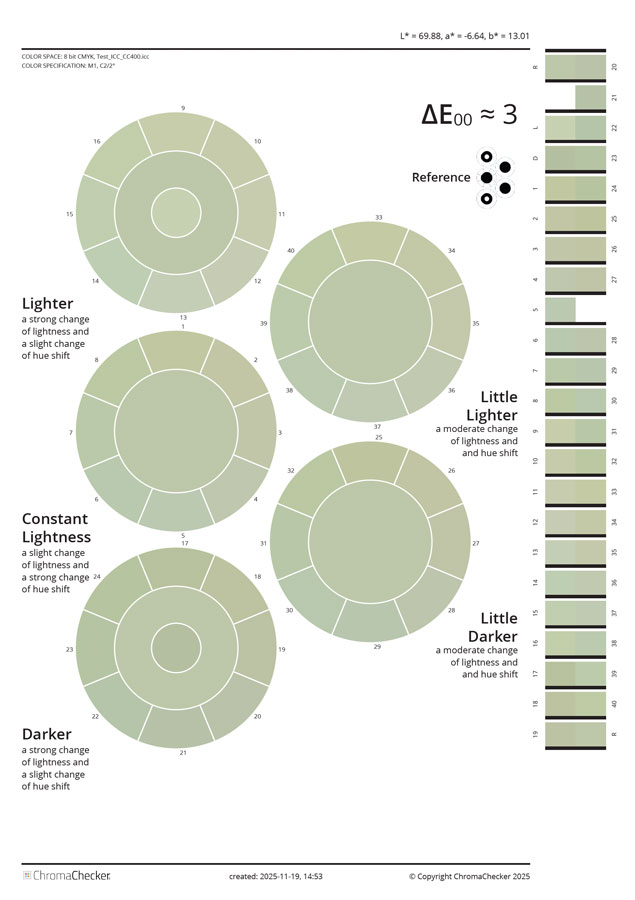
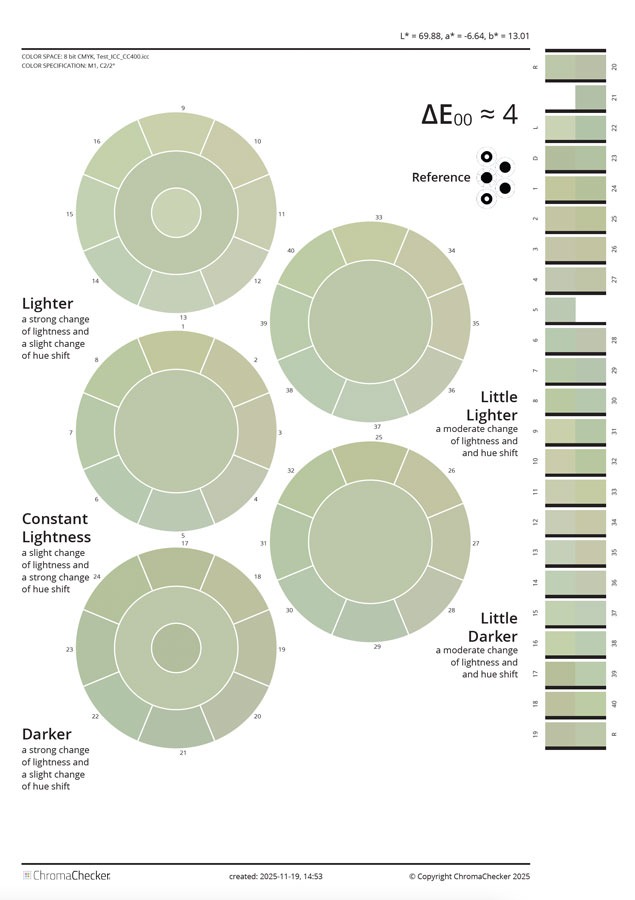
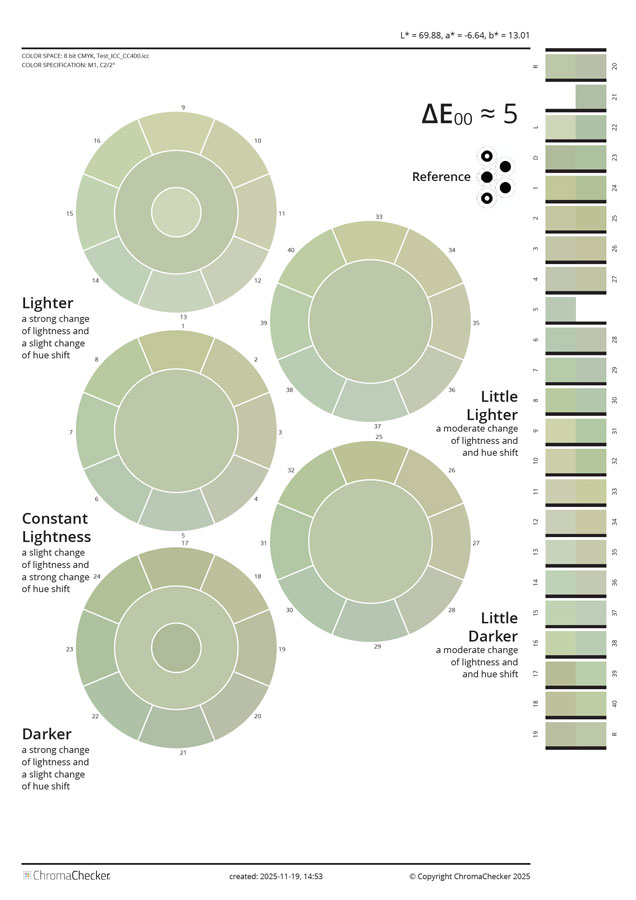 .
. 
To read the control strip, a dedicated scanning template is required. This is a dedicated area for experts only.
Compare personal perception with and without separation lines (outline)
 |
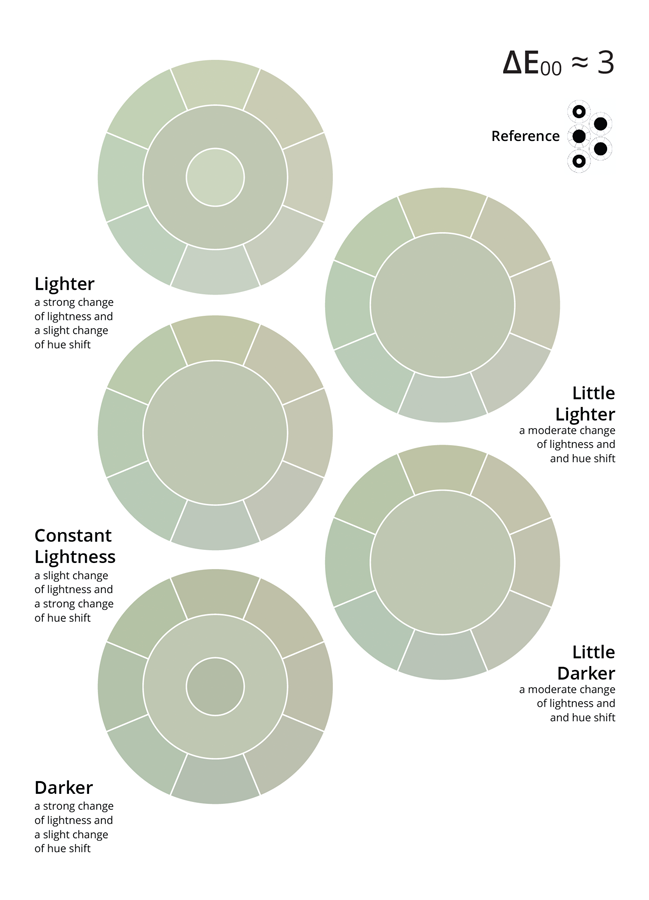 |
Without separation lines, it is harder to see segments.
Video
Related Topics
Contact ChromaChecker Support
Additional information and Support Form is available for logged users.
