Inspectors »
CC Display Inspector »
Troubleshooting CC Display »
iMac and other Mac computers with itegrated monitor
January 27, 2022
iMac and other Mac computers with itegrated monitor
We recommend creating a workflow based on Emmisive Measurement White Illuminance.
If "Custom" mode is selected - the user has to adjust the Monitor Brightness slider with no feedback from the instrument - which is much harder and may create a non-optimized profile.
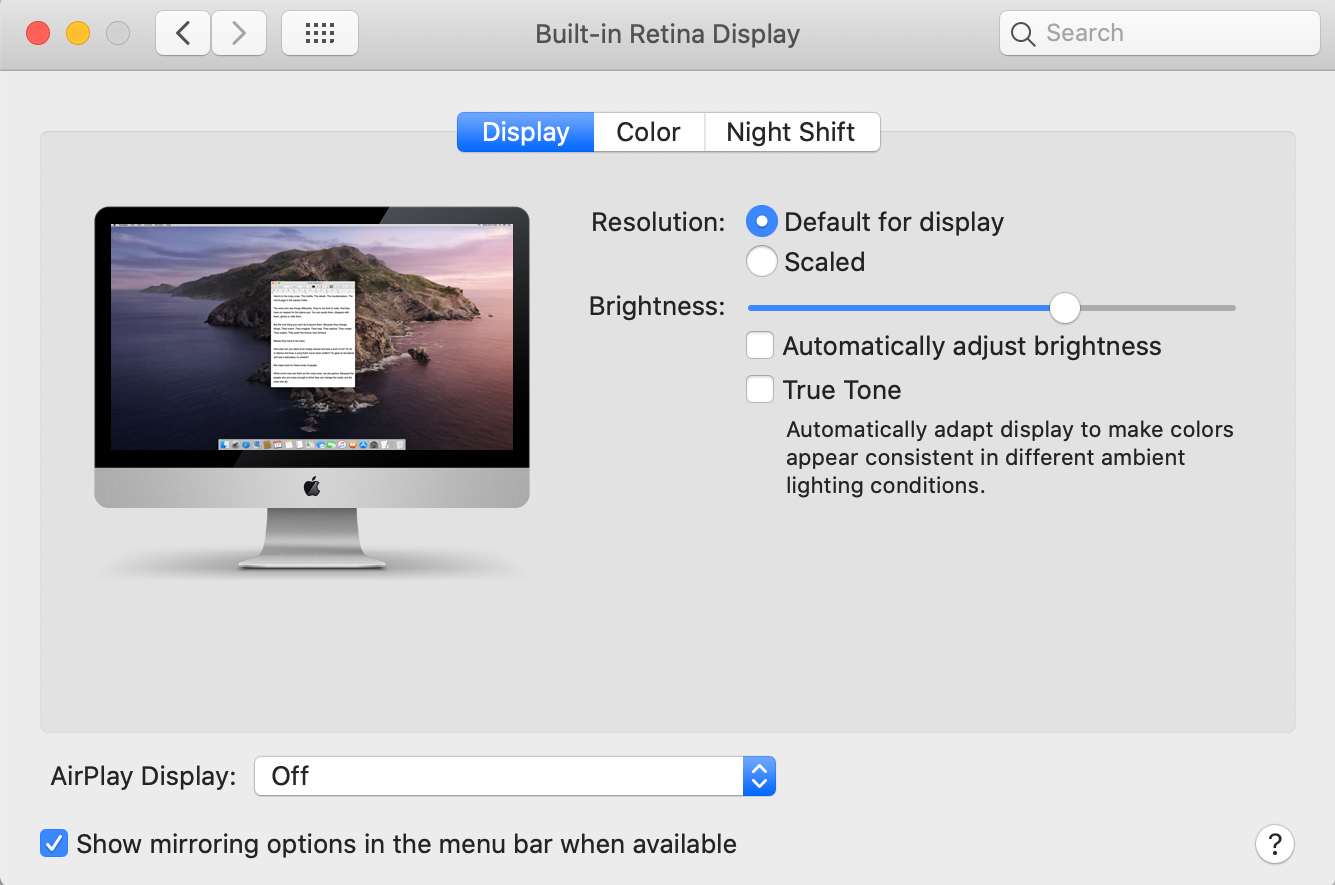
Turn off all functions that may change monitor brightness in the future:
Automatically adjust brightness and Try Tone must be disabled!
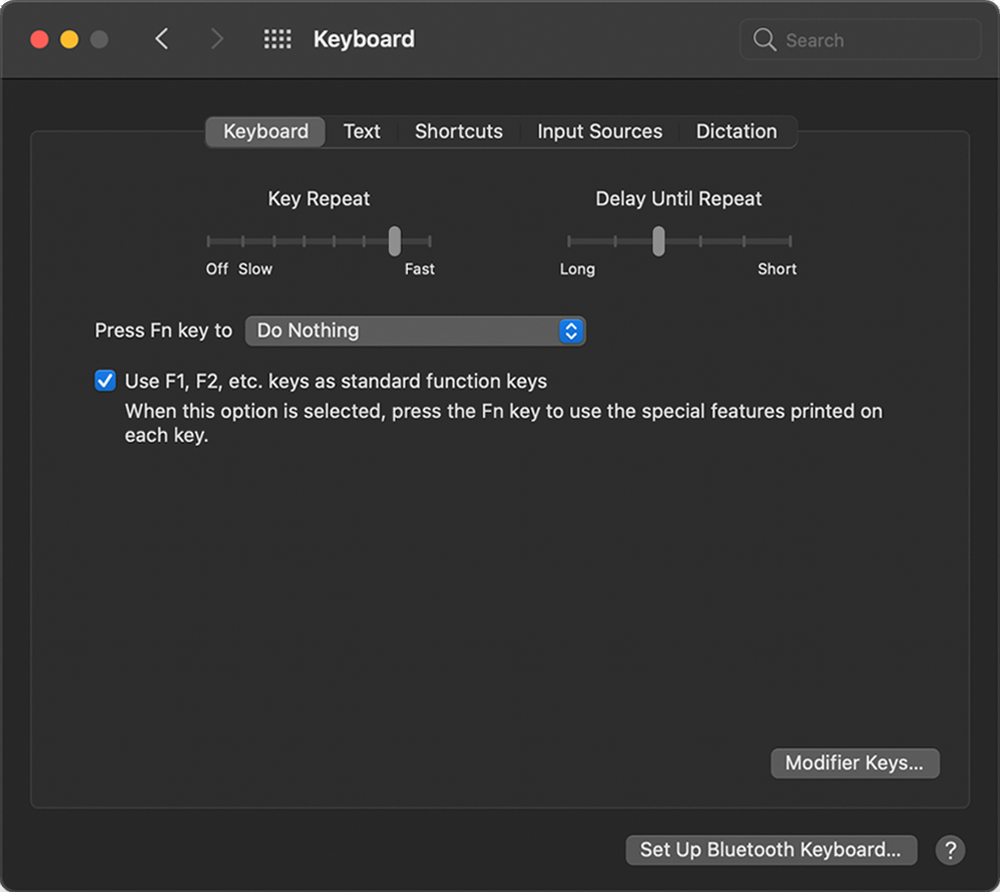
To prevent from accidentally changing Brightness from the keyboard - disable this function too:
macOS Monterey users
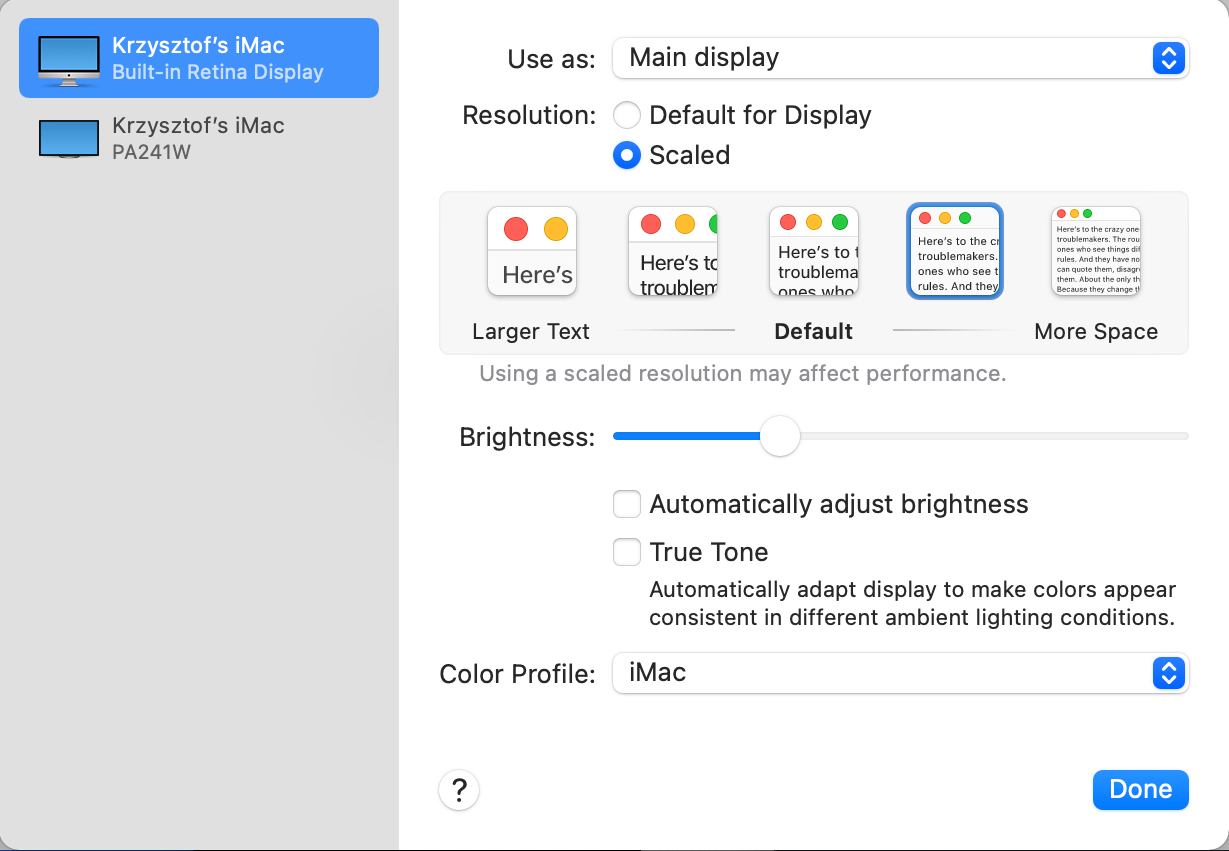
Be sure to:
- Automatically adjust brightness - turn off
- True Tone - turn off
- Select any ICC Profile but not default (screenshot: iMac). You need to profile your monitor. Before select e.g. DCID60.icc
- To prevent from accidentally changing Brightness from the keyboard - disable this function too:
M1 MacBook Pro with XDR Display
There are some limitations today. Apple doesn't allow any software to control XDR Display calibration. We are working on a dedicated procedure.
Contact ChromaChecker Support
Additional information and Support Form is available for logged users.
