Troubleshooting CC Display
Basic requirements
- Each Workstation has to be registered in the system
- The user requires a license - unique for each machine ID
- Linense has an expiration date - be sure that is valid
- The operator has to be assigned to a Workstation
- Mac or PC Application has to be properly installed - all subfolders have to be created
- An Internet connection has to be efficient
Connection cable issues
- Your Monitor and computer may offer more than one connection schema.
- Monitor's parameters and features can depend on the connection type
- The quality of the cable may have an influence - double-check if parameters are correct - also for the instrument's cable.
- Some hi-end monitors may require an additional USB connection.
Software Files — Mac Users
Properly installed software should be located in the Application Folder — subfolder named: ChromaChecker display with CC Display application inside.
Additionally - and this is very important - in Shared Folder Installer should create the required subfolders
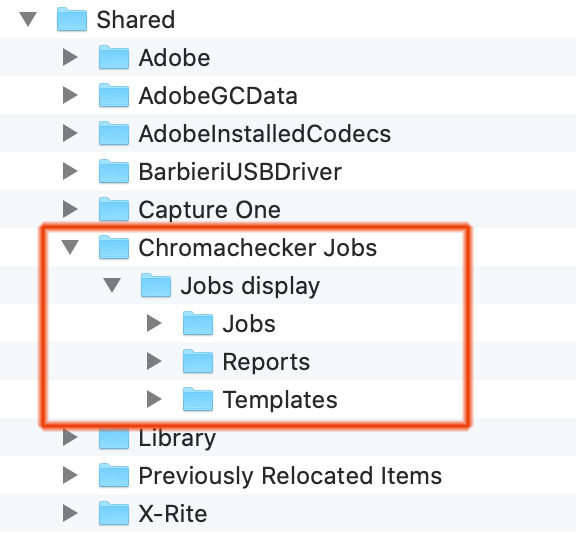
Just installed application should have all subfolders empty. The tree should look like this:
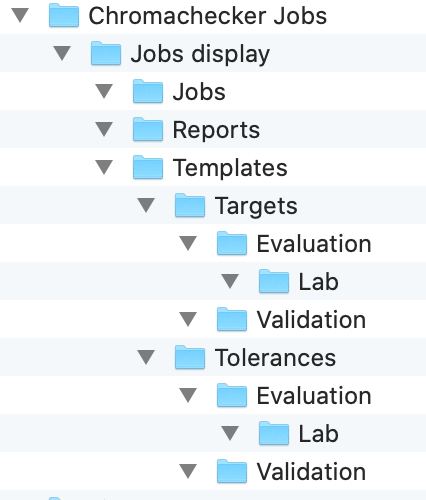
Software Files — PC Users
Generally, the PC file structure is very similar
in C:\ProgramData there is a ChromaChecker folder, inside of there is the "ChromaChecker Jobs" folder. The license file is also created in the ChromaChecker job by CC display
The first successful connection should synchronize files based on the structure defined on the server side:
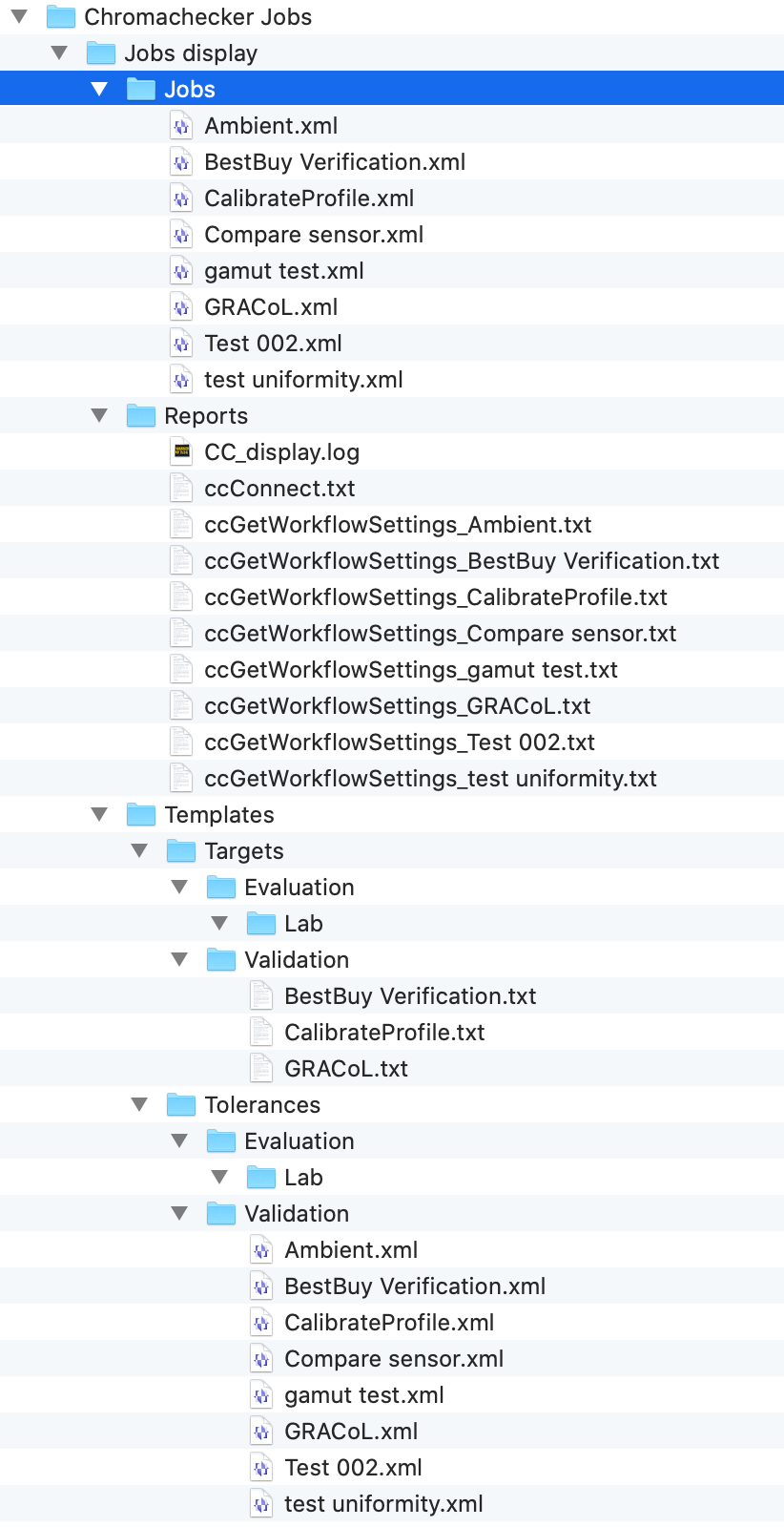
All Display Inspector Parameters are cached here, also there are some log files that help with troubleshooting.
The key file is:
ccConnect.txt Click here to learn more.
Other important files:
CCLicenseFiles (file is located in ChromaChecker Folder)
This file contains: HOSTID - serial number unique for every workstation and
SIGN string - that is an encrypted key.
Sample content of this file is:
FEATURE ccdisplaypro bICC 1.000 9-may-2022 uncounted \FEATURE ccdisplaypro bICC 1.000 9-may-2022 uncounted \ HOSTID=0080688850-5 SIGN="0107e605090000000104cf36d205ab9a171f6efb11ffb08e3afa20a9f92e913caad3aae33e886de51019b3d43f4721879b5cd58d6814818bf42d9306611403578daeb6f3c71e4428589e30ba9c7a"
CC_display.log
General application log
ccLicense.txt
ccResponse.txt
SOAP communication with the server
ccSend.txt
It is the last application "answer" sent to the server
Important Note
files stored locally are not encrypted to make tracking easier, however, there is a built-in algorithm that doesn't allow any modifications to the content. The application will not execute locally modified files. If you want to change workflow parameters the only way is to make them on the CC server.
Troubleshoot Apple Mac Displays
Note that Apple computers may not allow third-party software to lock critical parameters. If you are using e.g. iMac you have to keep Brightness unchanged. We advise disabling keyboard keys that may change value when hit accidentally. Learn more here.
Connecting a second monitor to your Apple
Probably you will need to get a dedicated cable that converts signals from different standards/sockets. Note that finding a proper solution might be not simple. You may need to test different products to find a working one.
Sample:
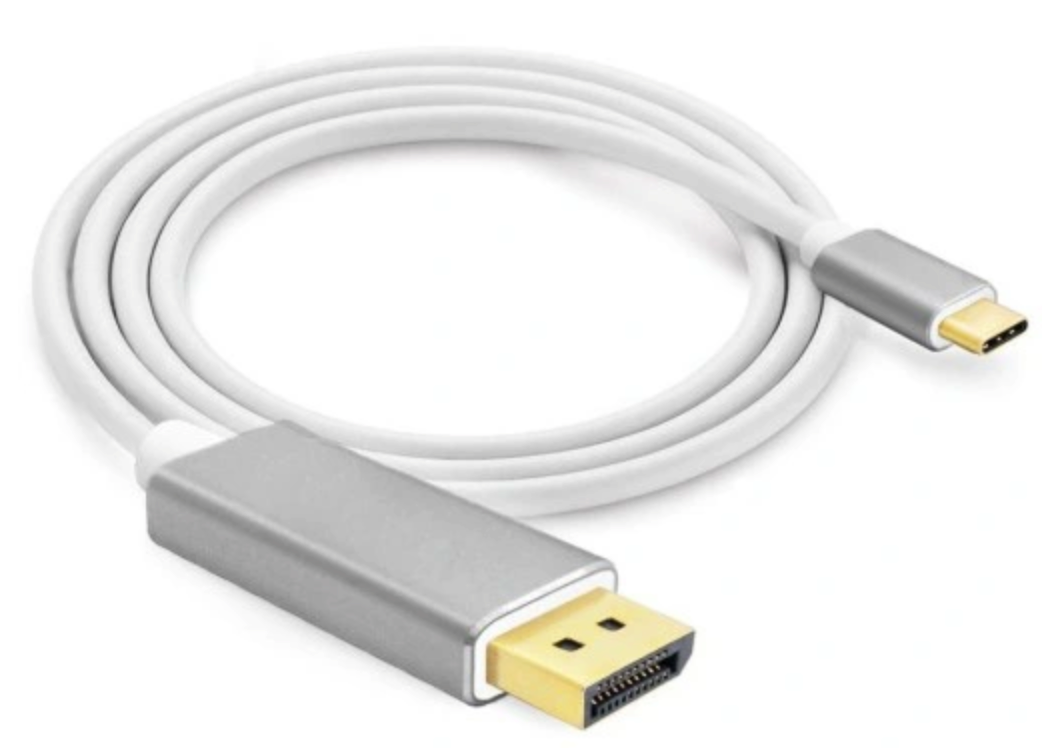
Thunderbolt 3 / DisplayPort cable for Nec Spectraview/iMac (Retina 5K, 27-inch, 2020)
Troubleshoot USB issues (both Mac and PC)
You may struggle with the USB connection mainly on PC. Sometimes your Instrument or monitor may not work properly.
- Try to use another USB socket. Problems may also come with too low a current required for the instrument. X-Rite i1Pro for example for proper calibration requires up to 480 mA. Take into account that declared 500mA is not always a real value.
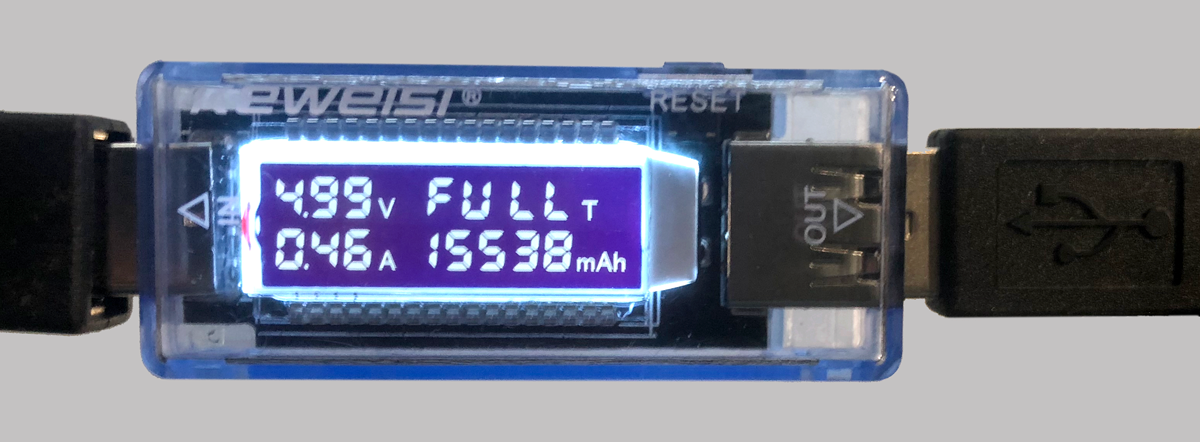
- The solution can be an externally powered USB Hub. Find the model with a high-quality power supply.
- Use proper cables - sometimes replacing a USB cable with another one can fix an issue. Don't think that more expensive is always better! It is often a problem for i1Pro.
Second-hand monitors
Whenever you are using a secondhand monitor we strongly advise resetting it to factory defaults before. Consult your user's manual or try to find reset in OSD Menu.
Related Topics
Contact ChromaChecker Support
Additional information and Support Form is available for logged users.
