CMYK ICC Profile Gamut
Generate CMYK device profiles and evaluate print gamut with 338 patches.
Overview
ChromaChecker’s ICC Profile generation engine can generate RGB or CMYK profiles in version 2 format. This project is designed to create a CMYK ICC Device Profile. It is based on 338 patches and intended for low-demand purposes; however, it is perfect for gamut evaluation as part of Print Condition Benchmarking and other tasks where high precision is less important than the effort required to measure a larger chart.
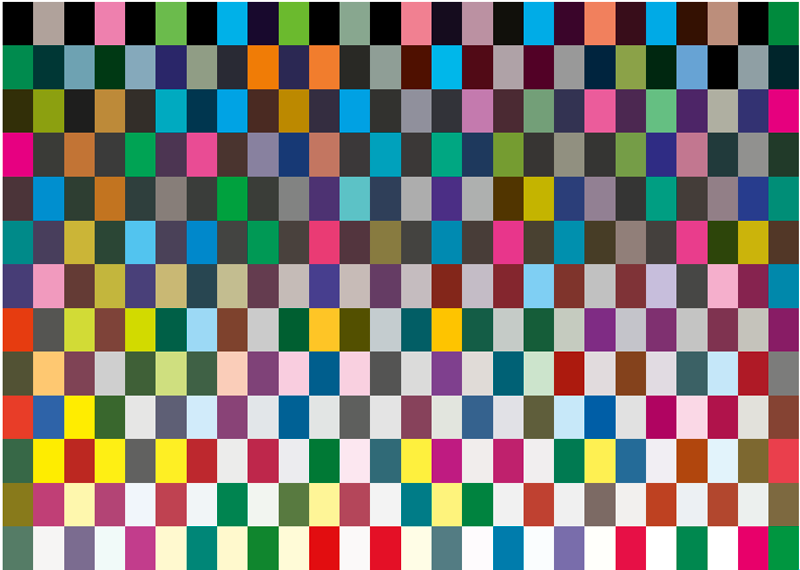
CMYK MINI ICC
This project is based on a chart with 338 patches only (13 × 26), but it also contains patches required for G7 Conformance, TVI, or G7 Calibration.
Once scanning is completed, click the ICC icon in the report section. You can also browse historical data using the timeline — enter “Summary” to create the ICC profile. The profile will be downloaded to the Export Folder or saved directly to your hard drive.
Default black generation settings
- Total Ink Limit (TIL) = 320%
- Start Black = 10%
- Total Black = 85%, GCR
- Neutral = 45%
- GSR Color = 50%
- Black Intensity = 60%
Use the website interface to control these parameters manually.
Manual Upload
This project supports manual upload of any chart with a sufficient number of patches (e.g., IT8.7/5 (TC1617x), ECI 2002 CMYK, and others). You can drag and drop measurements using the cloud icon in the track.
