Export to CxF
Export a single measurement as a CxF color exchange file.
Overview
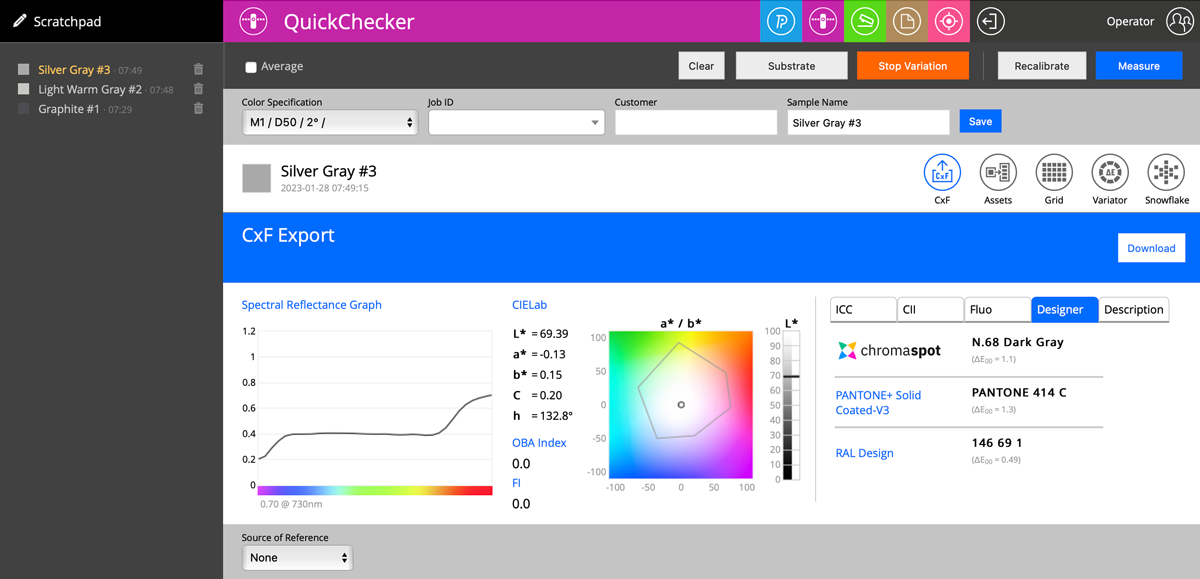
QuickChecker exports a single sample in one file with all M-conditions. Click the CxF icon in the interface to create and download the file immediately.
Export Workflow
- Complete a measurement in QuickChecker
- Click the CxF icon in the Action Bar or report toolbar
- The file is generated and downloaded automatically
Advanced Options
CxF Export on the website offers more options for advanced users needing specialized file adaptations, including custom M-condition filtering and metadata fields.
The CxF file includes spectral data for all M-conditions measured in a single session, making it directly usable in downstream color management workflows.
