Save to Assets
Save any Scratchpad sample directly to your color library.
Overview
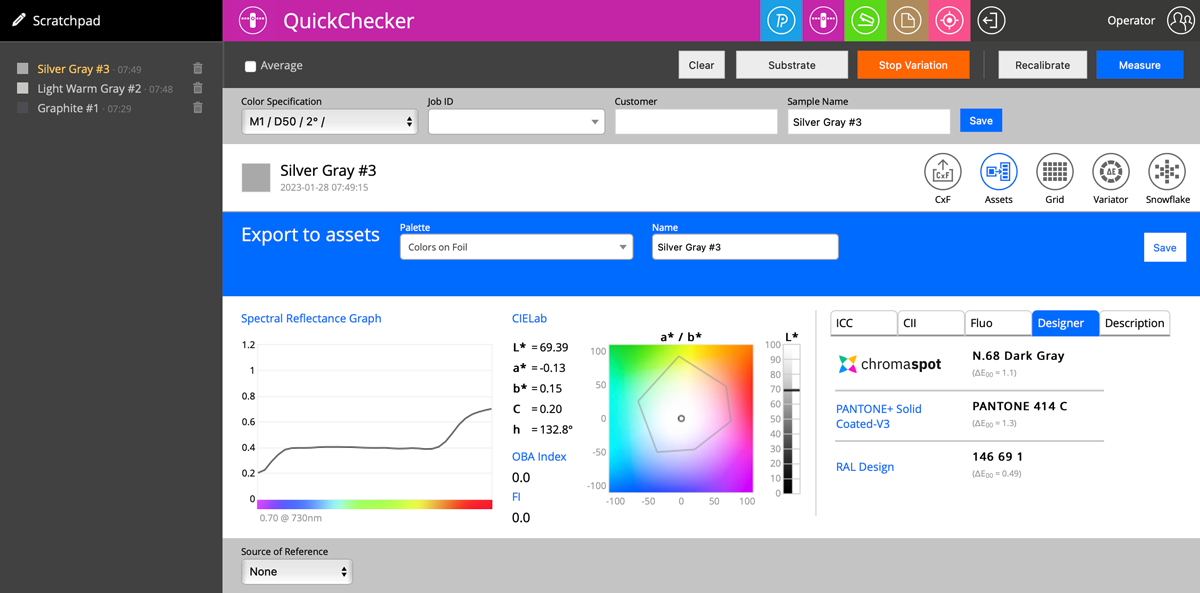
Any sample from the Scratchpad can be saved to your Color Inspector Assets. This allows you to build up your color library directly from QuickChecker measurements.
Save Workflow
- Complete a measurement and confirm it appears in the Scratchpad
- Click the Assets icon on the left side of the interface
- An asset selector dialog opens — choose the destination library or palette
- Optionally customize the sample name before saving
- Confirm — the sample is now available in your Assets
Notes
- The sample destination and name are fully customizable before saving
- Saved samples include all M-condition spectral data
- Assets saved here are immediately available for reference in future measurements
